
11.11.25 - 14:4111.11.2025 - 14:41·4m4 Minuten Lesezeit·
Von Mehdi "Ztitsh" Boukneter
VALORANT — Patch 11.10: Harbor Reborn, and Clove Brought Back in Line
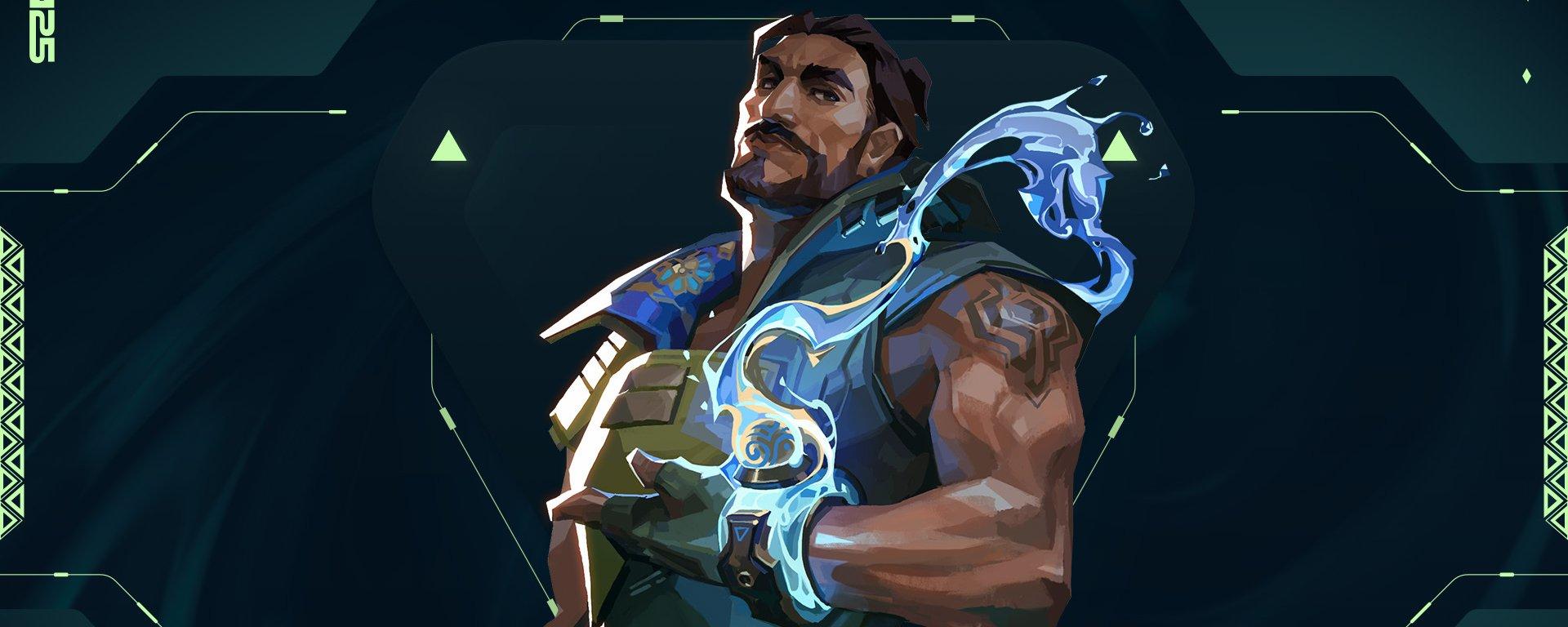
VALORANT 11.10 patch finally delivers Harbor’s long-awaited rework, shifting him toward a far more assertive Controller role.
Teilen
A patch centered on Harbor
Loading...
Patch 11.10 arrives as a broadly scoped update that touches every aspect of VALORANT, including core UI clarity, agent balance, competitive integrity, andntegrity, and even esports engagement. On all platforms, Riot is refining how information is surfaced in-game, starting with a more readable Team HUD that now clearly indicates when you or an ally is being healed, and a refreshed Collections experience that makes managing cosmetics more coherent on both PC and console.
This groundwork sets the stage for the real headliner of the patch: the long-awaited Harbor rework, which repositions him as a more assertive Controller with initiation tools. At the same time, parallel adjustments rein in Clove’s dominance in ranked games. Alongside that, high-ranked players in several regions will now be required to secure their accounts to queue competitively. Game Changers is gaining in-client Pick’Ems, console players are getting quality-of-life updates, and a substantial wave of bug fixes addresses long-standing inconsistencies across multiple agents and systems. Here are Riot's explanations.
All platforms
General updates
- Team HUD Health Improvements
- Healing Indicator: The top HUD health bar now shows when you or an ally are healing. During recovery, the bar turns teal and fills to reflect healing progress. Once recovered, the bar returns to its normal white color.
- We've enhanced the Collections experience for both PC & Console, bringing you improvements such as:
- A grid layout is in, and carousel is out for PC Weapons & Buddies
- New dedicated page for equipping and viewing titles on PC.
- Custom skinline backgrounds across more Collections screens; letting your favorite weapon skins shine
- Note: the above changes will be delayed for our players in Korea until 11.11, following some player flow changes
Agent updates
- Harbor
- The Harbor Rework is finally here! We’ve overhauled Harbor’s abilities to move him into a more aggressive Controller, with a splash of Initiator. High Tide was an iconic part of his kit and we wanted players to be able to carry over their mastery and creativity from High Tide casts in the past. We’ve moved Cove into the signature slot with a few changes to make it easier to place with precision. This should help Harbor find more ways to block vision for his allies from afar or Shield them depending on the situation. Harbor will be gaining a new ability to help with aggressively taking gun fights, Storm Surge! Reckoning also received a massive update, making it easier to set up his allies to flood into enemy territory.
- Read the updated Ability Tooltips below, and check out our social channels for more content breaking down Harbor’s reworked abilities. We’re very excited for you to all dive in!
- Cove
- Changed to the signature ability slot
- EQUIP Cove. ACTIVATE to form a water Smoke in the select location. HOLD FIRE while targeting to move the marker further away and HOLD ALT FIRE to move it closer. RELOAD to toggle targeting view. REACTIVATE to Shield the water Smoke, blocking any bullets that hit it. The Shielded water Smoke can be destroyed.
- High Tide
- Changed to a non-signature ability
- Cost 300 credits
- Storm Surge (New)
- EQUIP Storm Surge. FIRE to throw, creating an explosive whirlpool that Nearsights and Slows enemies within it after a short duration.
- Reckoning
- EQUIP Reckoning. FIRE to unleash the full power of your artifact, releasing a surge of water that barrels forward to Nearsight and Slow enemies that are hit.
- We've also updated Harbor’s voice lines to reflect his updated abilities. We added conversation voice lines with Tejo and Waylay and have new lines at the start of the match on Abyss and Corrode.
- Cove
- Clove
- Clove is dominating competitive queue pick rates and preventing other controllers from being picked. These changes are aimed at shaving off Clove’s snowballing power. When Clove’s team gets ahead in advantageous states, they very easily outperform other controllers.
- Ruse
- Ruse charges are now restricted to 1 maximum when Clove is dead
- Pick Me Up
- Overheal amount, while Pick Me Up is active, has been reduced from 100 HP → 50 HP
- Ruse
- Clove is dominating competitive queue pick rates and preventing other controllers from being picked. These changes are aimed at shaving off Clove’s snowballing power. When Clove’s team gets ahead in advantageous states, they very easily outperform other controllers.
- Omen
- Spectators can now see Omen’s perspective in Dark Cover when he is placing his smokes.
Competitive updates
- Starting in 11.10, all Ascendant+ players in NA, LATAM, BR, and KR, must enable Riot Mobile multi-factor authentication (MFA) to access Competitive queue. Other modes will remain unaffected.
- Why Ascendant+? Our highest ranked players are capable of inflicting the greatest harm when smurfing and are at risk of more competitive integrity violations as an outcome to sharing accounts – i.e. win trading.
- You can check out this article for more information on why we’re making this change, or get yourself set up with MFA now using this how-to guide.

Esports Updates
- We’re bringing Pick’ Ems to GameChangers!
- Starting on November 13, the tournament will open in-client and on the web. Predict the full 10 team double elimination bracket winners for points and earn unique rewards for participating.
Gameplay system updates
- A followup to the last patch’s updates on how the “Use Object” button functions (“F” on PC and Square/X on Console by default).
- To simplify layered debuff states, all persistent attached debuffs will be removed at once by holding the “Use Object” button.
- For example, Cypher Dart and Deadlock GravNet will both be removed if they happen to be stacked on you at the same time.
- To simplify layered debuff states, all persistent attached debuffs will be removed at once by holding the “Use Object” button.
Bug fixes
- General
- Fixed a bug where players could plant the spike outside or float partially above the site's designated area. The spike will now stay within the outlined site area no matter where you are facing in game.
- Fixed a bug where bots in The Range would not show flash VFX when hit by screen blind effects.
- Fixed a bug that caused certain abilities to apply status effects to dead players and show in the Combat Report.
- Agents
- General Agents
- Abilities that cause vulnerable will not grant assists after the vulnerable effect has ended.
- Fixed an issue on the Kill effects at the sides of the screen where they'd look misaligned when playing in left-handed mode
- Clove
- Fixed a bug where Clove would sometimes revive in unexpected locations when casting Not Dead Yet
- Fixed a bug that allowed Clove to use Not Dead Yet after falling off the edge of Abyss
- Fixed a bug that incorrectly teleported Clove to spawn when teleporting back from Iso’s Kill Contract
- Fixed a bug where Clove would be moved into a wall if their body was intersecting Sage’s Barrier Orb
- Cypher
- Fixed a bug where Cypher's Neural Theft would sometimes display a blank icon on the minimap
- Harbor
- Harbor’s Cove now grants assists for players killed while affected by it.
- Viper’s Snakebite, Brimstone’s Incendiary, Sova’s Hunter’s Fury, and Killjoy’s Nanoswarm should properly damage Harbor’s Cove.
- KAY/O
- Fixed a bug where the killfeed wasn’t showing the proper headshot icon if KAY/O was the last player to die while NULL/cmd was active.
- Killjoy
- Fixed a bug where the minimap icons for Alarmbot and Turret would occasionally disappear when deactivated outside their active ranges.
- Fixed inaccurate hit detection on Killjoy's Alarmbot while it is jumping
- Omen
- Fixed Dark Cover’s minimap to match the darkness of other dome smokes.
- Fixed minimap icon size for Omen’s Paranoia.
- Reyna
- Fixed a bug where Reyna’s Leer projectile would animate forward in the incorrect direction while jumping and rapidly changing her aim location.
- Sage
- Fixed an issue where Sage’s Resurrection indicator was snapping to allies out of Sage’s POV.
- Fixed a bug that caused Sage’s hands to flicker briefly when using Healing Orb on an ally.
- Fixed a bug where Sage’s Slow Orb was making a popping sound when intersecting Cosmic Divide.
- Veto
- Crosscut targeting should be more consistent now to other targetable usables.
- Fixed a bug with Veto’s animation while recalling Interceptor.
- Fixed a bug where Crosscut was invisible or non-functional when used in Buy Phase with high ping or packet loss.
- Vyse
- Fixed a bug with Razorvine’s decals being able to be seen under certain platforms.
- Fixed a bug with Razorvine’s projectile where it wouldn’t disappear upon landing.
- Yoru
- Yoru’s Fakeout clone will now properly show suppression VFX when affected by suppression.
- Observers are now able to see Yoru’s Blindside immediately instead of after it bounces.
- Yoru’s Blindside will display the correct color VFX when there are two Yoru’s in the same match.
- Fixed bug where Blindside’s audio was audible by enemies while stealthed.
- General Agents
For the console
General updates
- Replays
- Replays are now live for consoles! Check out the Replays FAQ [here] for detailed information and answers to commonly asked questions about the feature.
Client updates
- We’ve updated the Lobby on consoles to make it easier to navigate to other pages while in queue.
- You can now tab over to the Lobby like any other page, or use the shortcut button.
- Custom game lobbies have been moved into the ‘Select a Queue’ page.
- The layouts of the ‘Select a Queue’ and ‘Map’ pages have been updated.
- When in queue, the active queue timer will now appear in the top left corner of the Main Menu HUD.
Known issues
- Client
- The queue timer sometimes doesn’t reset when disconnecting and reconnecting with the timer active.
- Disconnecting and reconnecting then queuing can make it impossible to cancel the queue.
- Restarting the game fixes this issue.
- Custom Lobby
- The lobby type changes back to Matchmaking when finishing a Custom Lobby Match.
- Party members cannot view custom game options or changes made by the party leader.
- “Choose a Mode” is currently displayed instead of “Choose a Queue” on the queue select screen.
PC only
Premier update
- You can now view Premier team information from standings, invites, and your social panel.
- View a team’s Roster, Zone, Division, and current Premier Score by:
- Right clicking on any team on the Premier standings and choosing ‘View Team’
- Right clicking on a friend on the social panel and choosing ‘View Team’
- Clicking ‘View Team’ on a Premier invite you’ve received
Header Credit Photo: VALORANT/Riot Games
